









UP NEXT
Three Shifts Changing How Factories Select Floor Cleaning Robots8月 18, 2026

8月 26, 2026
Product literature for commercial cleaning robots concentrates on what connectivity enables — remote scheduling, operational reporting, cloud diagnostics, fleet management.
In practice, wireless coverage is frequently incomplete. Basement levels, dense racking and outdoor yards routinely fall outside a site’s network.
Facility teams therefore need to establish whether a cleaning robot continues to operate without a connection, and which functions become unavailable when it does.
The answer follows from how a machine’s capabilities are layered. Cleaning functions are processed onboard; management and data functions depend on the cloud. Where that line falls determines the real scope of an outage.
This article sets out the position of that line, the operational effect of an outage, how site teams work through one, and what to confirm during procurement.
Navigation and localisation — LiDAR and vision data is processed on the machine. The robot establishes its position and plans its route from onboard perception, without requesting data from the cloud.
Obstacle detection and avoidance — recognition of people, vehicles, cables and temporary obstructions, along with real-time route adjustment, runs entirely on onboard compute.
Execution of assigned tasks — cleaning routes and operating parameters are stored on the machine, so established tasks continue through an outage.
Floor detection and mode switching — sensors identify surface type and adjust cleaning parameters locally.
Data upload and report generation — the back end cannot display live status, and no report exists for the offline period.
Remote scheduling, start and stop — issuing tasks through the app, and starting or terminating a run remotely, both require a connection.
Cloud diagnostics and remote troubleshooting — these depend on continuous status data from the machine.
Consolidated multi-site views — fleet management across locations requires each machine to be uploading.
Software updates — no over-the-air updates are received while offline.
|
Location |
Cause |
|
Below ground |
Parking structures, basement storage, sections of metro stations |
|
Dense racking |
Metal shelving attenuates signal; warehouse centres are far weaker than entrances |
|
Near metal structures |
Equipment-dense production floors, metal partitions, steel-frame buildings |
|
Outdoors |
Yards, loading areas and external routes, where site coverage stops at the building envelope |
|
Centre of large open spaces |
Wall-mounted access points in terminals, arenas and large warehouses leave the middle weakest |
All of these can be confirmed with a mobile device before the machine arrives, at a fraction of the cost of retrofitting access points afterwards.
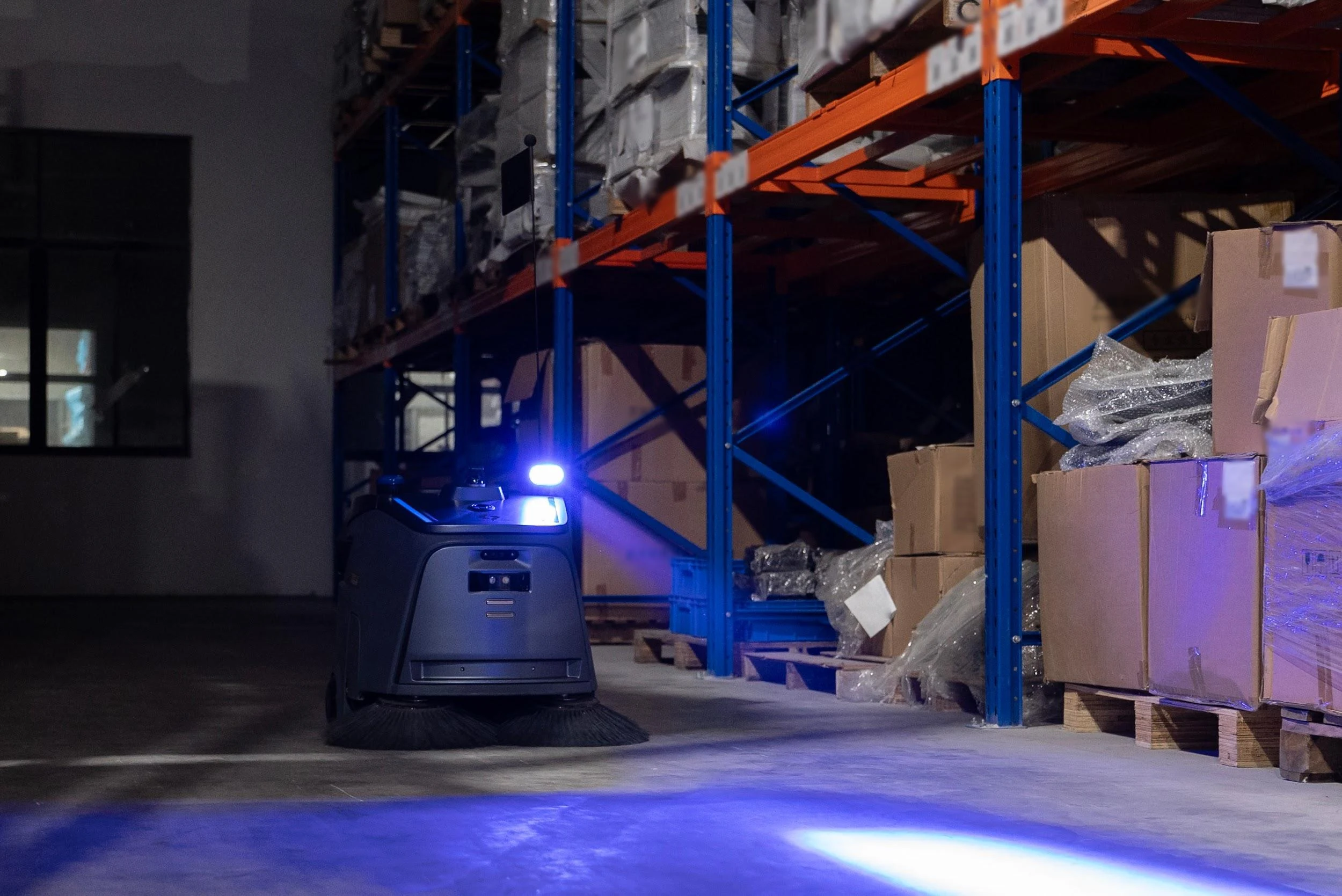
Visibility during the shift is interrupted. Supervisors cannot confirm machine status, task progress or interruptions from the back end. The effect is most pronounced across multiple sites — one location can be checked on foot, twenty cannot.
Remote support becomes unavailable. Faults that could have been resolved remotely wait for connectivity to return, or require a site visit.
Verification records go missing. Whether activity from the offline period uploads once connectivity returns varies between manufacturers. Where it does not, that period has no supporting data.
Contractual responsibility requires separate confirmation. Some service agreements exclude interruptions caused by unavailable connectivity from uptime commitments, meaning support gaps during an outage do not constitute supplier failure. Terms of this kind usually sit in contract annexes and warrant checking during procurement.
Machine-side operation varies by model and is worth confirming with the supplier during deployment.
The range of functions available offline — request a function-by-function answer rather than a general assurance that the machine supports offline operation.
How activity data is handled during an outage — whether it caches onboard, whether it uploads automatically on reconnection, and how long the cache holds.
How a task is started without connectivity — whether the machine can be operated directly, or whether tasks must be issued through the app.
Where maps and routes are stored — whether established routes run offline, and whether the machine adapts locally to layout changes.
The synchronisation mechanism on reconnection — whether upload is automatic or requires manual action.
How the service agreement defines a connectivity interruption — this determines where responsibility sits for support gaps, and belongs in the discussion before signing.
Before the machine arrives, test signal strength across the intended working area, covering three positions in particular:
Once dead zones are identified, there are two paths: install additional access points, or accept offline operation in that area and adjust expectations for reporting completeness accordingly. The cost difference belongs in the procurement calculation.
Gausium robots use multi-sensor fusion navigation, with LiDAR and vision data processed on the machine. Navigation, localisation and obstacle avoidance do not depend on a cloud connection.
Machines paired with a docking station handle charging and water management autonomously, supporting 24/7 unattended operation. For basement parking and storage areas, where coverage is typically weakest, this reduces the number of tasks that require someone on site.
Operational data access, remote diagnostics, task scheduling and multi-site management are delivered through the cloud platform and depend on connectivity. Specific offline behaviour — including caching and the synchronisation mechanism on reconnection — should be confirmed for the relevant model during deployment.
Technical documentation for individual models is available from the Download Center.

In a commercial context, whether a robot works without internet resolves into two questions: whether cleaning is affected, and how much management capability is lost.
Cleaning is not affected. The second depends on the site’s coverage and how long the outage lasts.
What procurement should establish is the exact position of that line, and how data from offline periods is handled. Coverage is worth testing before deployment; it costs considerably less than addressing it afterwards.
Contact Gausium to review network conditions and deployment options for a specific site.
Cleaning is unaffected. Navigation, localisation, obstacle avoidance and execution of established tasks all run on the machine. Remote scheduling, operational reporting, cloud diagnostics and fleet management require connectivity.
No. Data upload depends on the connection, so live status is unavailable while the machine is offline. Whether that activity uploads once connectivity returns should be confirmed with the supplier.
Parking structures and basement storage, dense racking, areas near metal structures, outdoor yards, and the centre of large open spaces. All can be confirmed with a mobile device before deployment.
It depends on whether the machine caches activity locally and uploads automatically on reconnection. Implementation varies between manufacturers, and should be confirmed item by item during procurement.
That follows from the contract. Some service agreements exclude interruptions caused by unavailable connectivity from uptime commitments, and the definition is worth establishing before signing.
Either install additional access points, or accept offline operation in that area and adjust reporting expectations accordingly. The cost difference belongs in the procurement calculation.
Step 1/2
Please select the type of business you’d like to have with Gausium.
Choose one item from the list
Step 2/2
Thanks for sharing your preference. Please fill out the form below, and we’ll get in touch shortly.
By clicking “Submit”, I authorize Gausium to contact me. Privacy Policy.
Thank you for filling out the form
By clicking “Submit”, I authorize Gausium to contact me. Privacy Policy.